Add Items to Your Order
Adding Items to Your Existing Order
Need to add something to your order, such as a Drop Off Parking pass? Follow the steps below to access your existing order and add additional items.
Step 1: Get Your Order Link
First, you'll need the link to your existing order. If you've lost the email, click the button below to have it resent to you.
You will be redirected to our ticketing provider (Pretix) to complete this request.
Step 2: Add Items to Your Order
Once you have your order link, follow these steps:
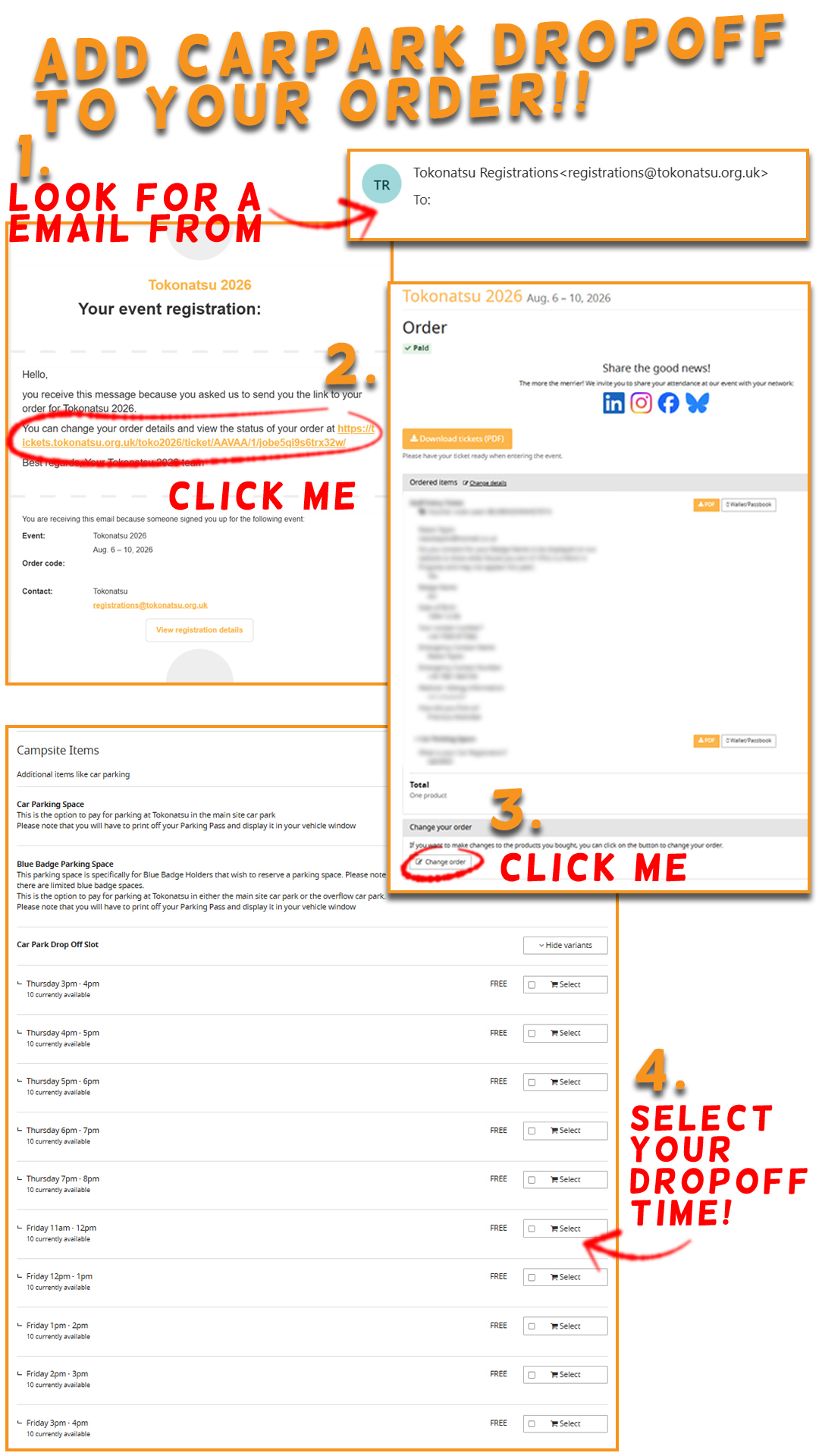
- Open the link from your email to view your order details
- Click the "Add additional items to this order" button
- Select the item(s) you'd like to add (e.g. Drop Off Parking)
- Complete payment for the additional items
- You'll receive an updated confirmation email
Here's what the process looks like:
Need Help?
If you're having trouble, please get in touch via our Contact Us page and the registrations team will be happy to assist.